
This Article is for:
- ABSS Accounting v28.7 SG / v28.8 MY / v28.10 INT
- ABSS Premier v23.7 SG / v23.8 MY / v23.10 INT
Two additional Ageing periods for Receivable & Payable
Ageing report is used to identify open invoices and keep track of slow-paying clients. Users can now generate the Ageing Report with 5 periods which previously only 3 periods.
- Preference Setting
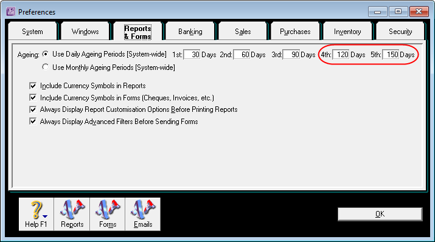
To set up the additional ageing periods, go to Setup > Preference > Reports & Forms.
(Refer to IMG001)
IMG001
Note: The default ageing days for 4th and 5th columns are automatically set to add 30 days and 60 days respectively from the value input into the 3rd column.
- Easy Setup Assistance
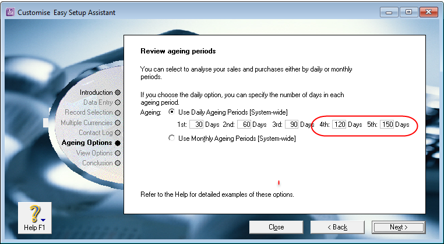
The additional ageing period fields is now reflected in the Customise Easy Setup Assistance, Review ageing periods screen.
(Refer to IMG002)
IMG002
- Account Receivable and Payable Reports Customisation
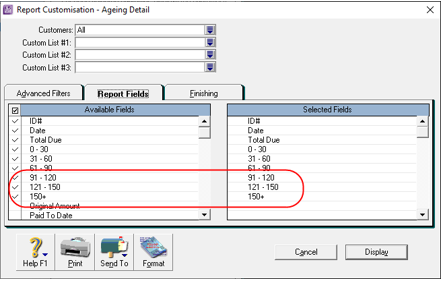
The additional ageing periods are added to Report Customisation – Ageing Detail, for both Receivables and Payables. (Refer to IMG003)
i) Ageing Summary
ii) Ageing Detail
iii) Reconciliation Summary
iv) Reconciliation Detail
IMG003
- Statement of Account (SOA) customisation
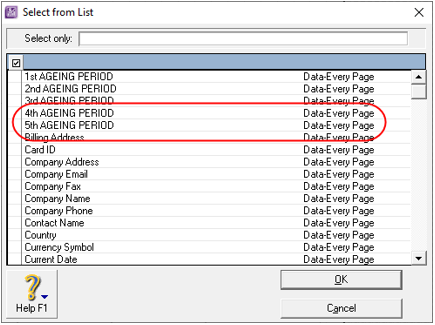
The 4th and 5th ageing period fields are now available in form customisation for Statement of Account. This applies to both, Activity and Invoice Layout. (Refer to IMG004)
IMG004
The following form templates have been updated accordingly.

Statement of Account Invoice Layout
-
-
-
-
- ABSS Premier's Plain Paper Statement
- Pre-Printed Statement
-
-
-
Statement of Account Activity Layout
-
-
-
-
- ABSS Premier's Plain Paper Statement
- Pre-Printed Statement
-
-
-
Sample:
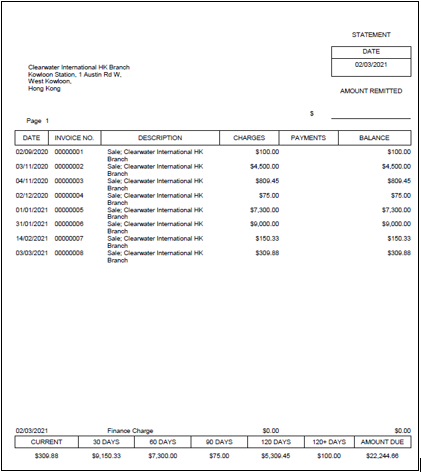
Statement of Accounts Invoice Layout generated with ABSS Premier's Plain Paper Statement form. (Refer to IMG005)
IMG005
- Analyse Receivables and Analyse Payables screens
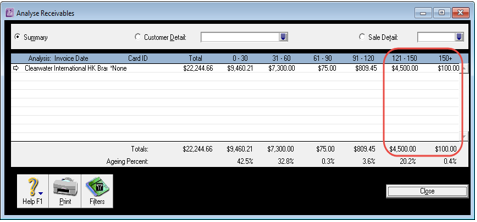
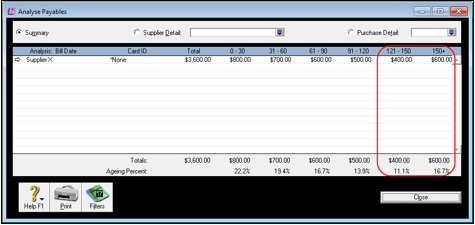
The 4th and 5th ageing period fields are now reflected on Analyse Receivables (refer to IMG 006) and Analyse Payables screens (refer to IMG 007).
IMG006
IMG007
- Business Insights
i. Customers who owe me money screen
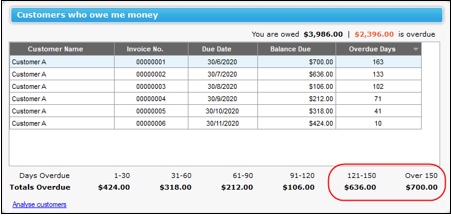
The 4th and 5th ageing period fields are now reflected on this screen, displaying customers with outstanding invoices. (refer to IMG008).
IMG008
ii. Analyse customers screen
The 4th and 5th ageing period fields are now reflected on this screen, displaying customers with outstanding invoices. (refer to IMG 009).
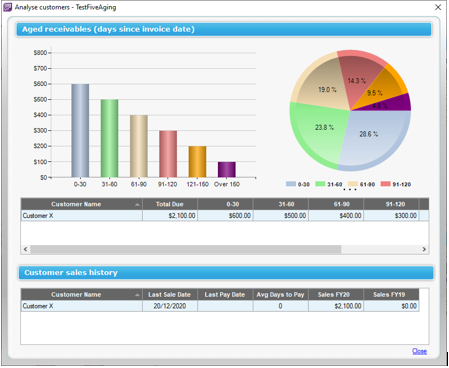
IMG009
iii. Supplier I need to pay
The 4th and 5th ageing period fields are now available on this screen, displaying suppliers with outstanding invoices. (refer to IMG010).
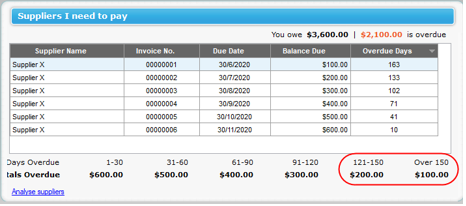
IMG010
iv. Analyse suppliers screen
The 4th and 5th ageing period fields are now available on this screen. (refer to IMG011).
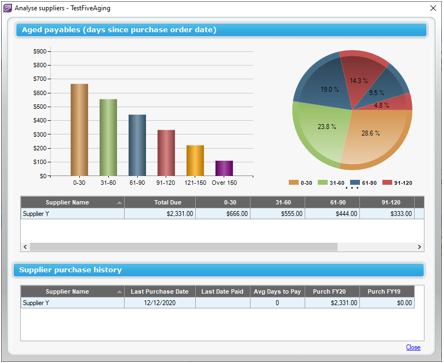
IMG011
Comments
0 comments
Article is closed for comments.