
This article is for:
- ABSS Accounting
- ABSS Premier
- ABSS Payroll
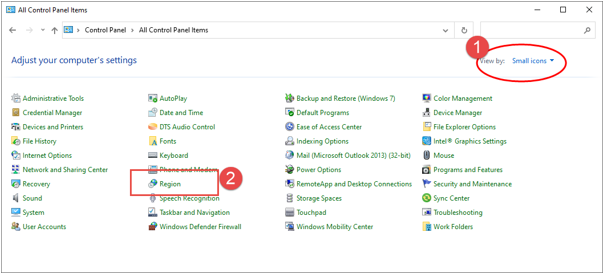
1. Go to Windows’s Control Panel
2. Changed the View by to ‘Small icons’ in order to see all control panel items
3 . Click on Region setting.
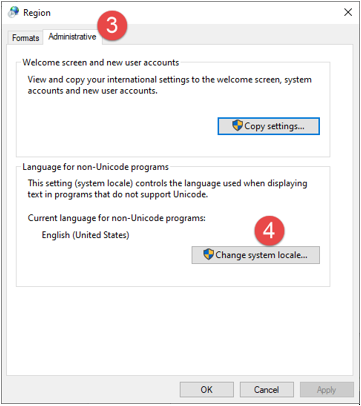
4. At Region setting screen, choose Administrative tab and click on ‘Change system locale’
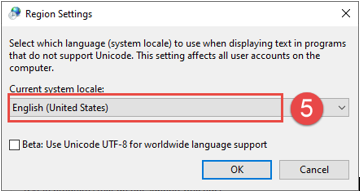
5. Region Settings screen will appear. Select the new language that you want to use by selecting from the dropdown list.
6. When you are done selecting the language, click OK. You are now informed that you need to restart your computer for the changes to take effect.
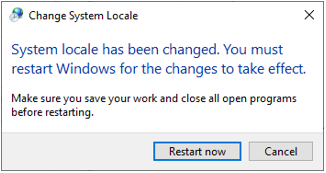
WARNING: The change of the language used for non-Unicode programs gets applied to ALL non-Unicode programs. Therefore, if you need to run another non-Unicode program which uses a completely different character set, you need to change the non-Unicode program language yet again.
Comments
0 comments
Article is closed for comments.