

This Support note is suitable for:
- ABSS Accounting
- ABSS Premier
|
Introduction A transfer from deposit refers to an order which is applied to payment and then changed to invoice. A transfer from deposit transaction cannot be deleted, instead the whole invoice has to be reversed. |
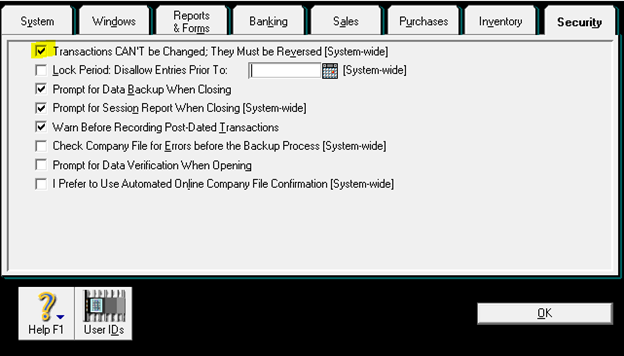
1) In order to reverse the invoice, go to Setup > Preferences > Security > Tick the 1st box (Transaction Can't be changed, they must be reversed).
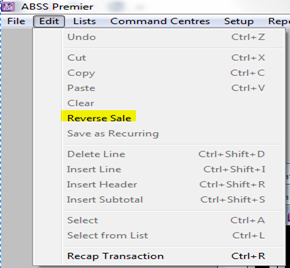
2) After that, open up the related Invoice > Click Edit > Reverse Sale.
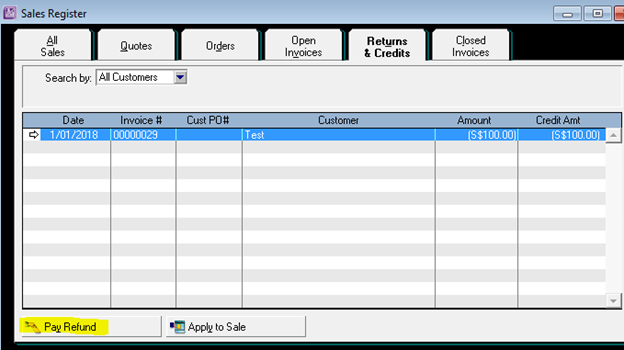
The reversed sale will appear in the Sales Register > Returns and Credit. Highlight the reversed transaction and click Pay Refund at the bottom.
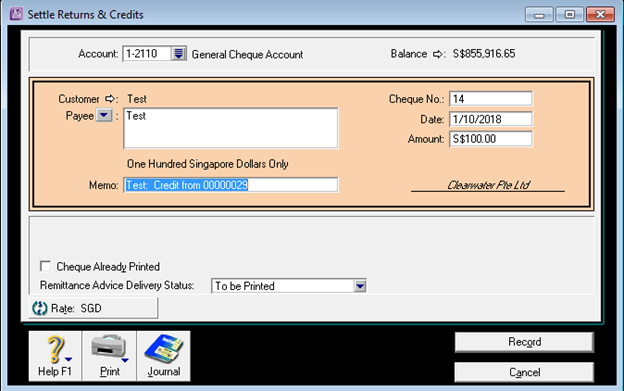
3) Once click Pay Refund > Key in the date same as the Payment date > Record
4) Finally, you need to re-create the invoice and record the payment again.
Comments
0 comments
Please sign in to leave a comment.