

This Support Note is suitable for:
- ABSS Accounting
- ABSS Premier
|
Introduction Accounting for a dishonoured cheque is as simple as recording a withdrawal. However, additional steps are required if the cheque was deposited using the Prepare Bank Deposit function. This support note explains the steps required in this case. |
How to Account For a Dishonoured Customer Cheque
On your bank statement, a dishonored customer cheque will be represented as a withdrawal from your cheque account. This withdrawal is easily recorded in your ABSS program's by simply reversing the customer payment.
How Is a Dishonoured Customer Cheque Reversed?
There are three steps to reversing a customer payment.
Step 1: Set ABSS Security Preference
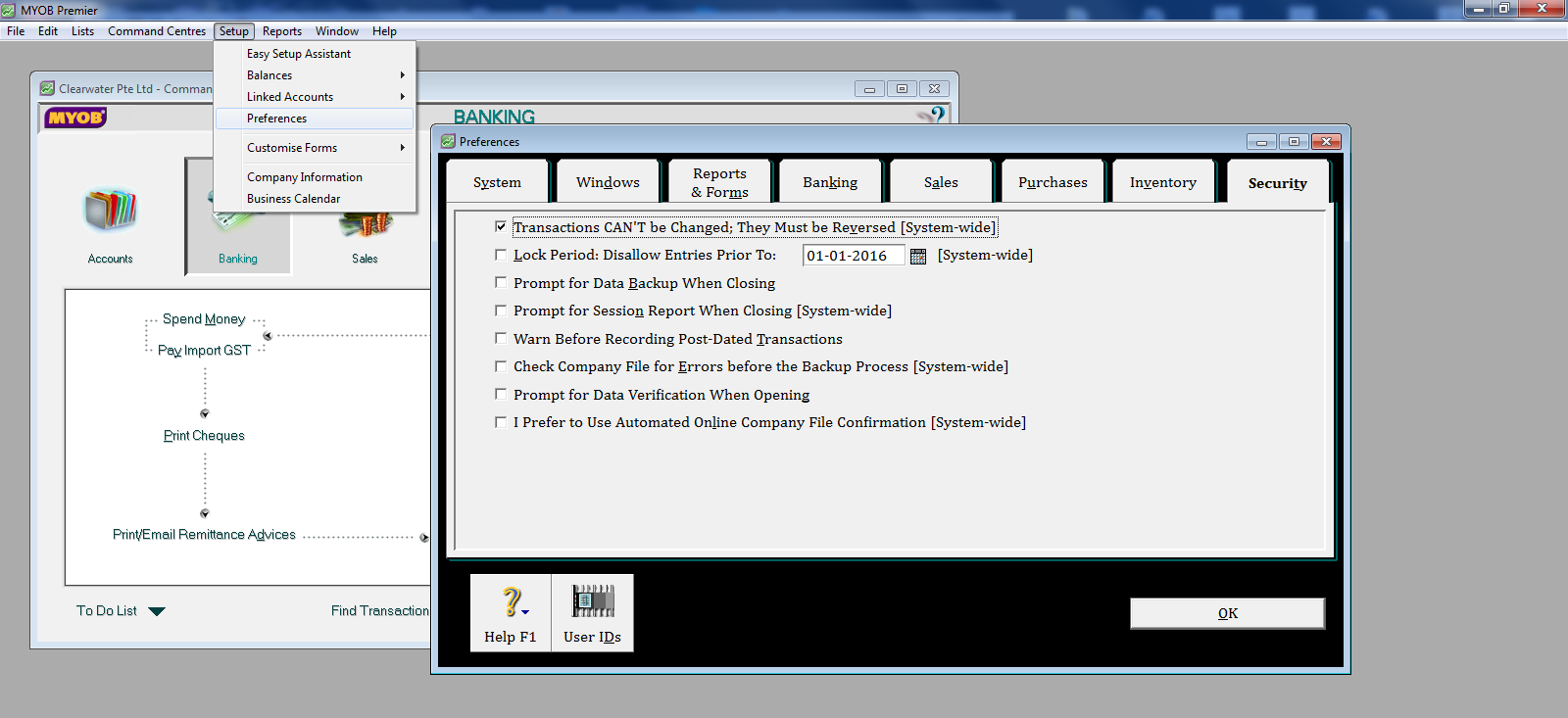
The ability to reverse or delete transactions is determined by a Security Preference. To set this preference for reversing transactions, go to the Setup menu, choose Preferences and click the Security tab. Mark the Transactions Can't Be Changed; They Must Be Reversed option.
Step 2: Locate the transaction
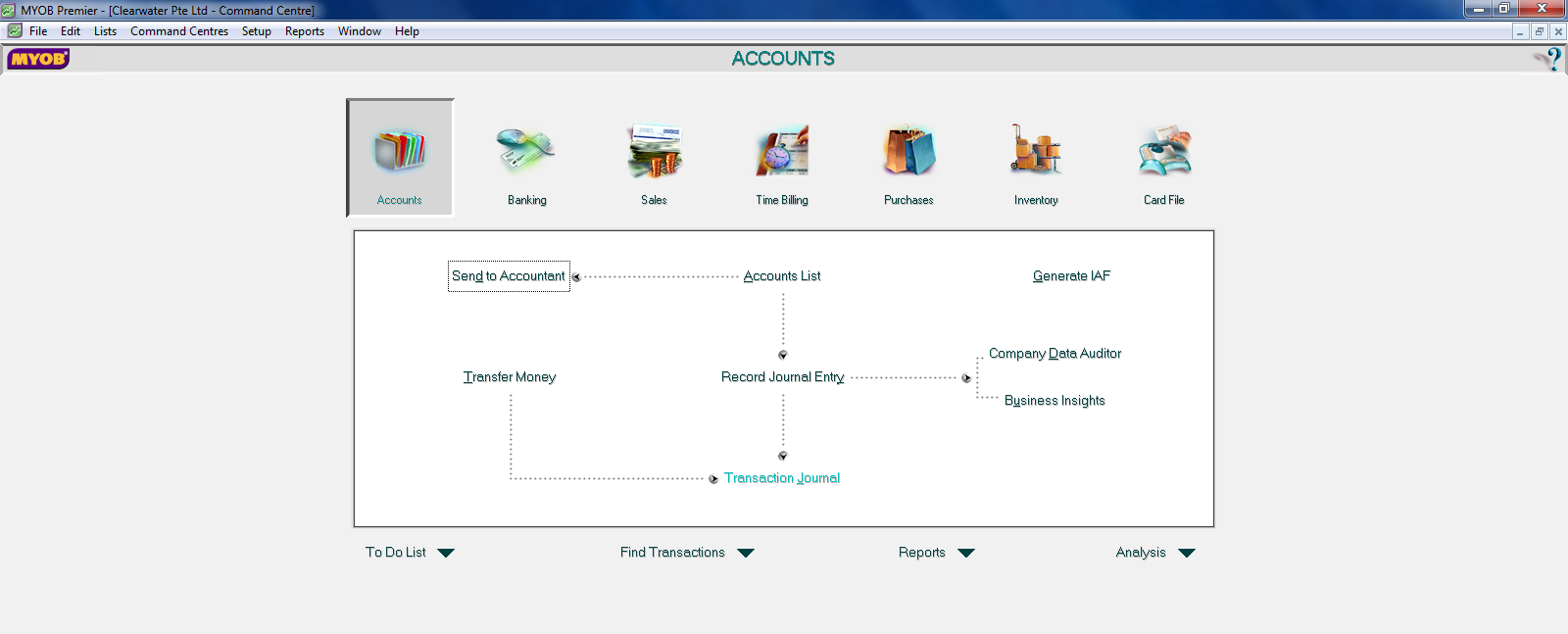
From the Accounts command centre click Transaction Journal.
-
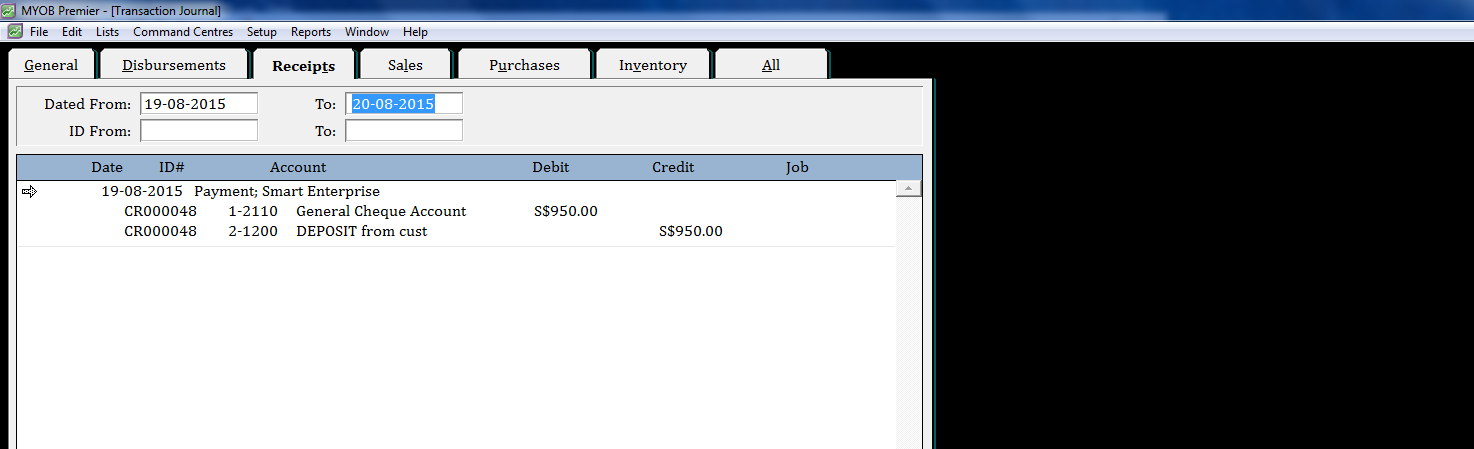
Click the Receipts tab.
-
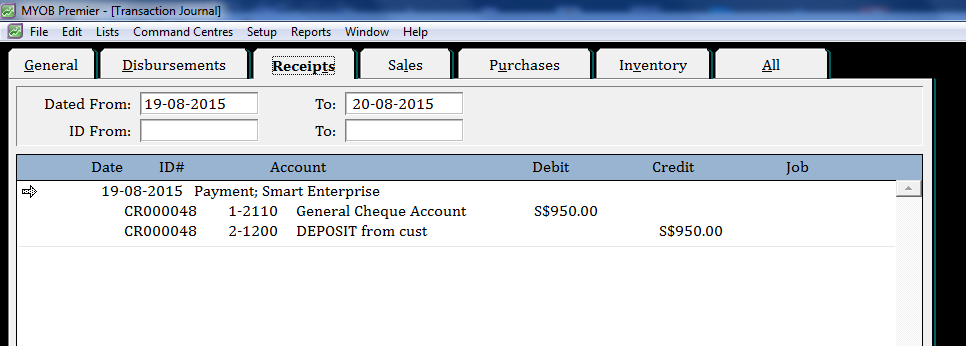
Enter the date of the customer payment in the From and To date fields, then press the <tab> key on your keyboard to display the search results.
-
Identify the customer payment to be reversed.
Step 3: Reverse the transaction
-
Open the transaction by clicking on its zoom arrow.
-
Go to the Edit menu and choose Reverse Payment.
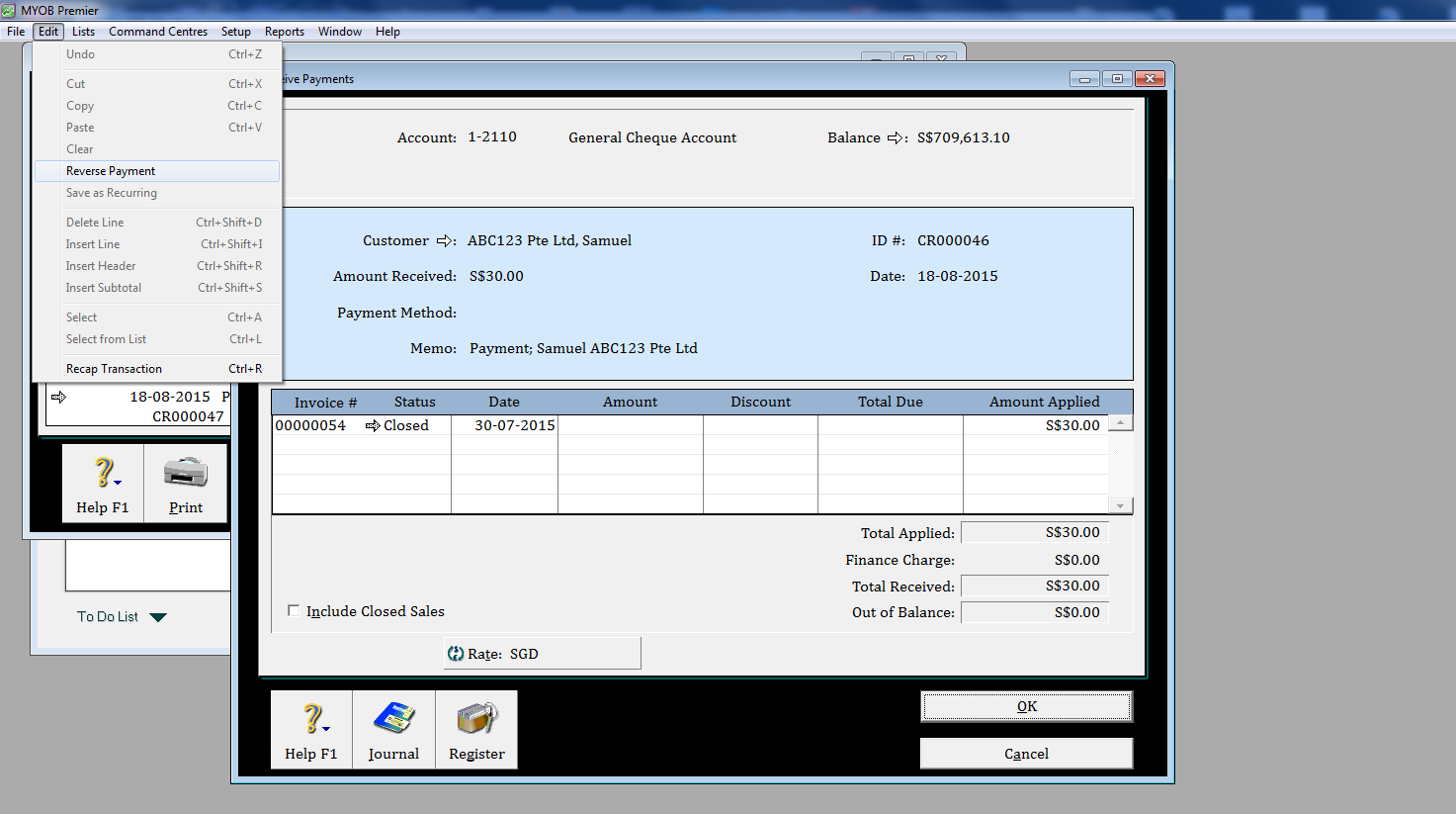
-
Once ABSS has created the reversal, check the transaction and the reversal date details then click Record.
The window below shows the reversing of a Receive Payment transaction.
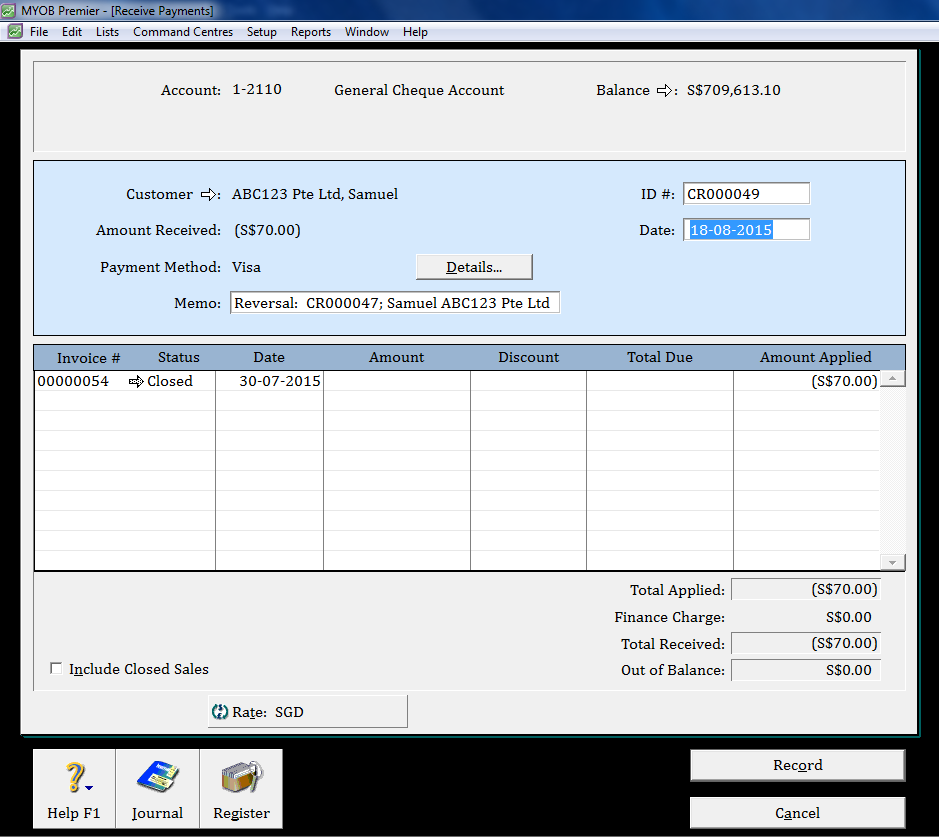
Note the negative amount. This will result in a withdrawal from your cheque account, which will coincide with your bank statement.
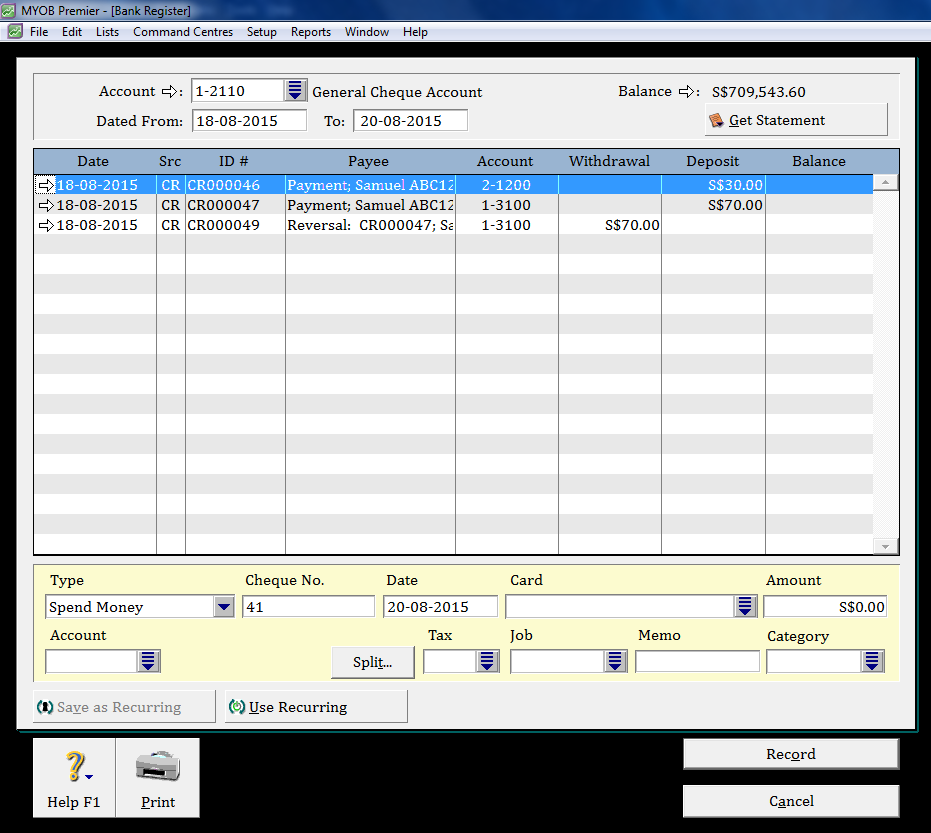
If the customer payment was entered using Receive Payments, then the invoice it was applied to will be returned to its previous status.
How Is a Dishonoured Customer Cheque Reversed If It Was Entered Using Prepare Bank Deposit?
Where the customer payment was grouped with Undeposited Funds, it becomes part of a consolidated deposit. Therefore, once the customer payment has been reversed (as per the steps outlined in the section titled How Is a Dishonoured Customer Cheque Reversed?) it will need to be 'deposited' using Prepare Bank Deposit.
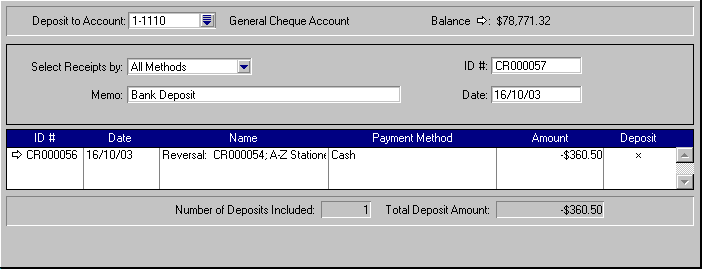
After recording the reversal, open Prepare Bank Deposit, place a check mark in the Deposit field against the reversal and then click Record.
The window below shows a reversal in the Prepare Bank Deposit window. Note that the Amount is a negative (-$360.50), which will result in a withdrawal rather than a deposit.
How Do I Account For the Bank Fees?
It is customary that the customer reimburse the supplier for the bank fees associated with a dishonoured cheque. Therefore the following two steps are used to account for the bank fees.
Step 1 - Record the dishonour fee
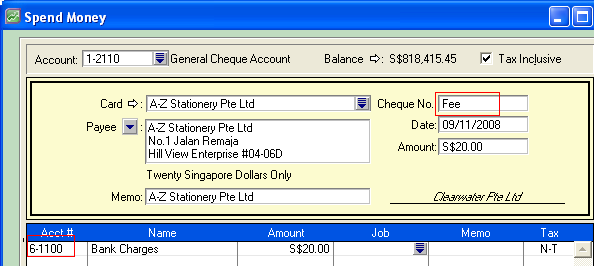
The dishonour fee will appear on your bank statement and is entered using Spend Money. Open Spend Money, change the Cheque No to Fee and allocate the transaction to your bank fees expense (6-xxxx) ledger account.
This will result in a debit posting to the expense account.
Step 2 - Record the reimbursement
The reimbursement can be entered using Receive Money or Receive Payments.
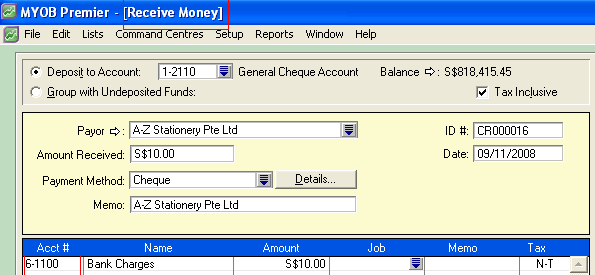
Receive Money - Open Receive Money and allocate the receipt to the same expense account used to record the dishonoured cheque fee.
Receive Payments - Create a sales invoice for the customer, allocating it to the same expense account used to record the dishonoured cheque fee. Open Receive Payments and apply the payment to the invoice.
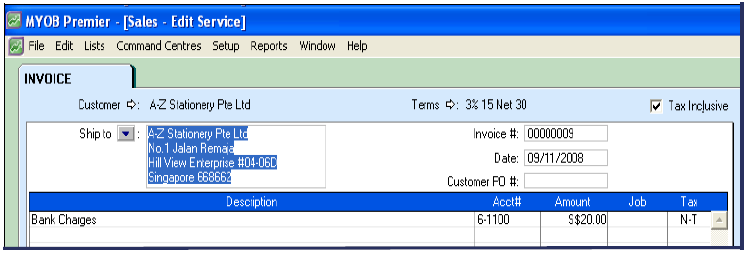
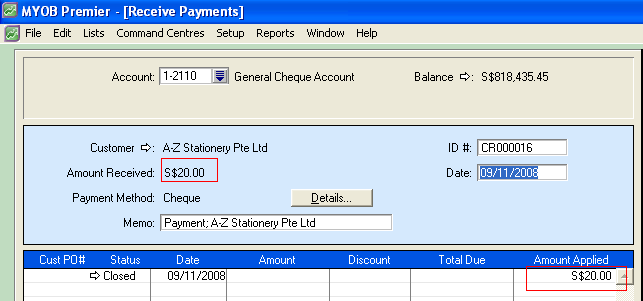
Both of the above methods will result in a credit posting to the expense account, which will offset the debit posting recorded in Step 1.
What Will I Do If I Have Already Lodged My GST?
If you report your GST on an accruals basis, you will only be required to adjust the GST if the sale is to be written off as a bad debt.
Comments
0 comments
Article is closed for comments.