

This support notes are suitable for:
- ABSS Accounting
- ABSS Premier
|
Introduction Where goods are sold on consignment, the consignor pays a commission to the consignee. This support note explains two methods consignees can use to record commission payments received. |
How do I record commission on sale of consignment stock?
Method 1: Contra method
Step 1 - Enter the Sale and the Purchase
The contra method can be used to account for the transactions including the GST by setting the consignor up as both a customer and a supplier.
After completing a purchase order for the value of the consignment stock, create a new Customer card and prepare a sales invoice for the value of the commission, using the GST tax code.
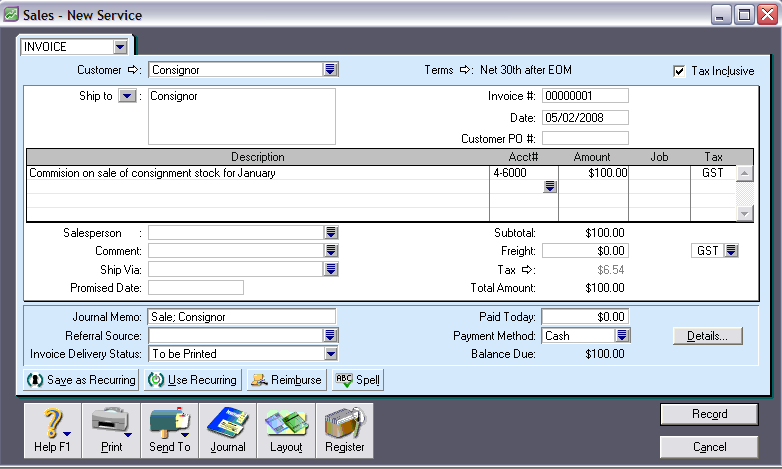
Step 2 - Create a Contra Account
You will need to create a new asset account called Contra Cheque Account.
- Go to the Accounts command centre and click Account List.
- Select the Asset tab and click New.
- Make sure you select Bank in the Account Type drop-down menu.
- Give the account a unique number that suits your account list.
- Name the account Contra Clearing Account.
- Click OK.
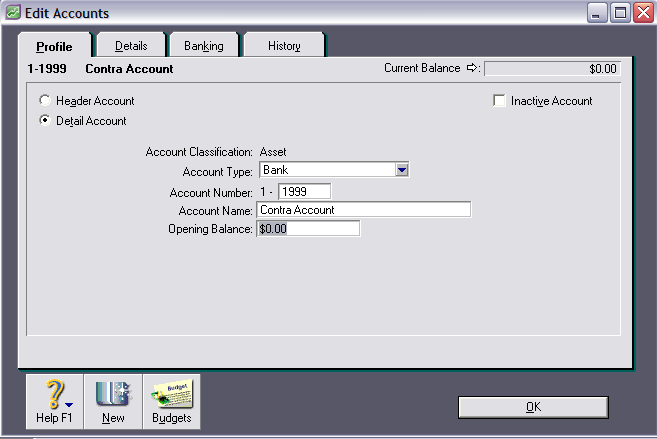
Step 3 - Make customer and supplier payments
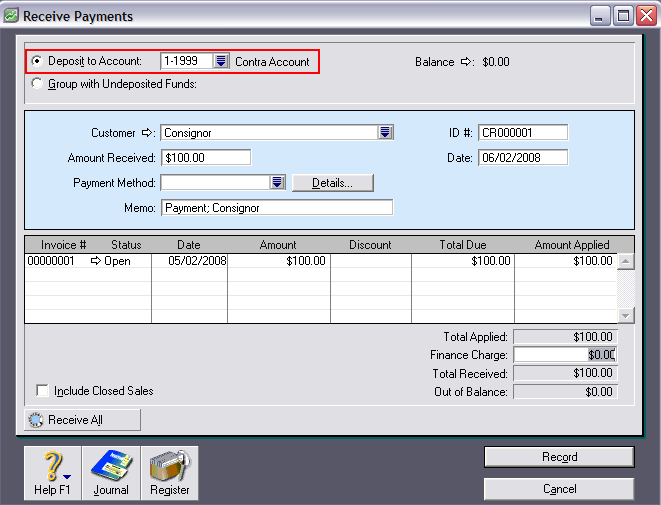
1. Go to the Receive Payments window and record a payment to the consignor‘s account of $100. Make sure that the Contra Account is selected in the Deposit to Account field in the top left hand corner of the window. This will increase the balance of the contra account.
2. Go to the Pay Bills window and pay for $100.00 worth of consignment stock. Make sure that the Contra Account is selected in the Pay from Account field in the top left hand corner of the window. The contra account will return to zero balance and your dept to the consignor will be reduced by $100.
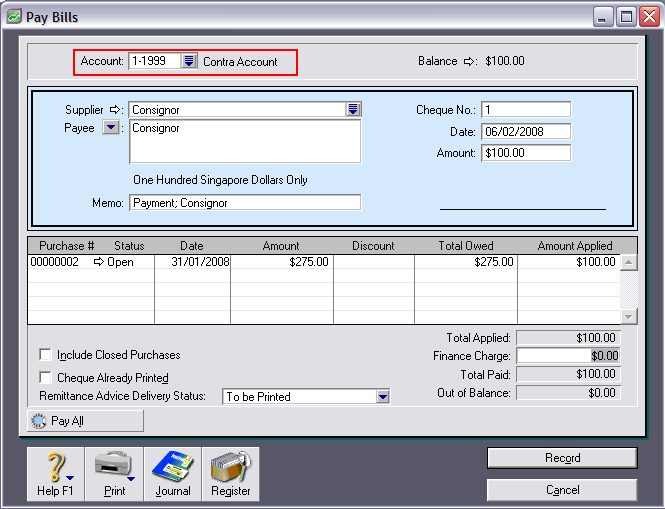
Having done this, the correct sales and purchase values will be recorded, as well as the correct tax amounts being apportioned to tax collected and tax paid accounts.
Method 2: Record income and expenses on one transaction
As an alternative to Method 1, it is possible to record a transaction which includes both the income from the sale and the commission expense. This is done using a special tax code for negative income allocations.
For instructions on recording this type of transaction, please refer to support note GST and transactions that include both income and expense accounts.
Comments
0 comments
Please sign in to leave a comment.